 scaive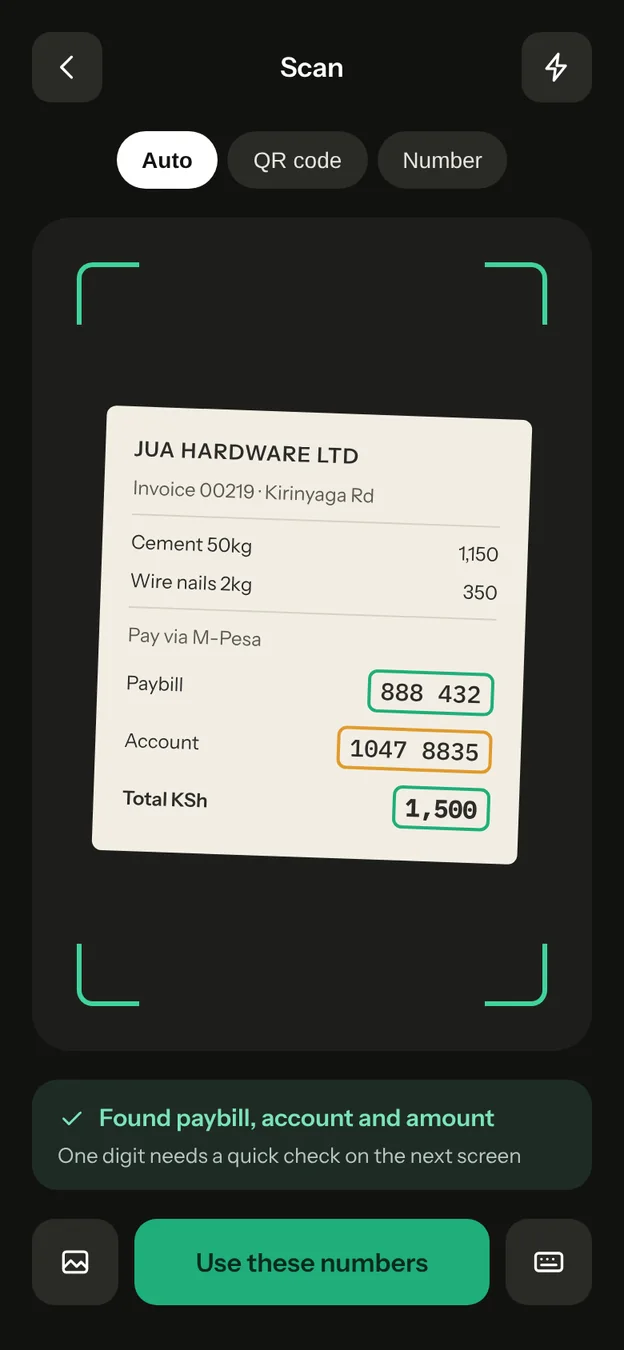
The “sent by mistake” message
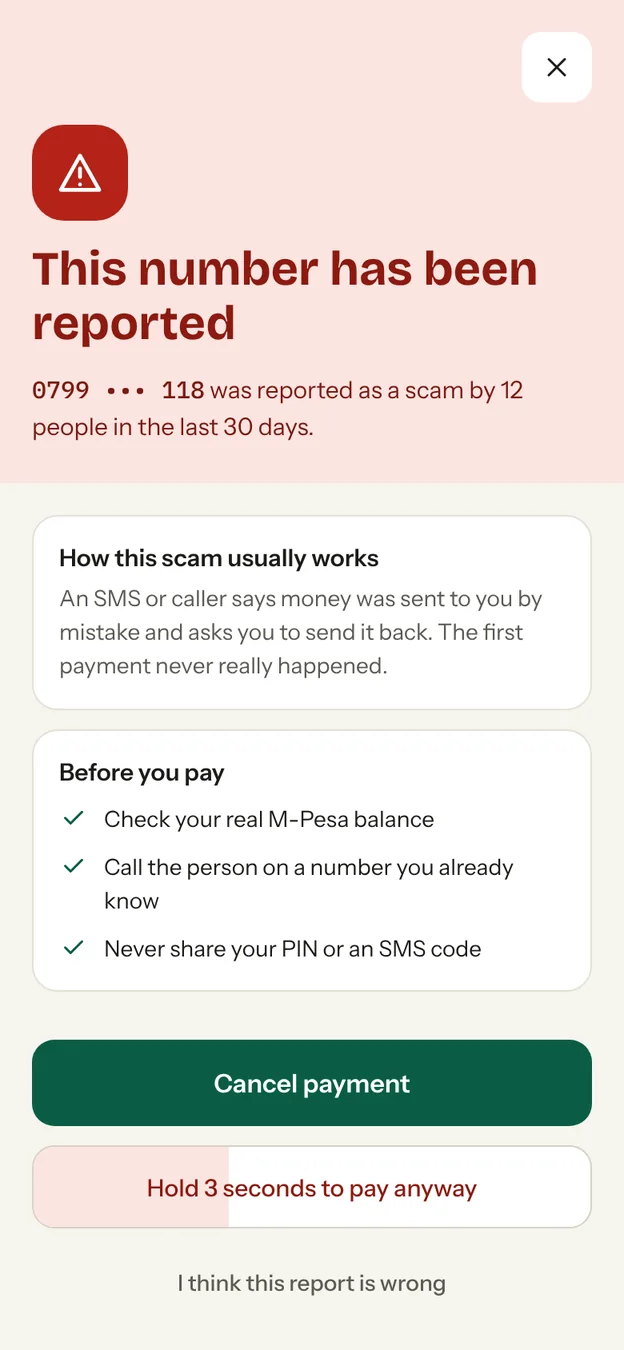
A caller or SMS says money reached you by mistake and asks you to send it back. If other people have reported that number, Scaive shows a red warning and makes Cancel the easy button.
Point your camera at a phone number, till or paybill. Scaive reads it, checks it against scam reports, then hands you to M-Pesa to pay.
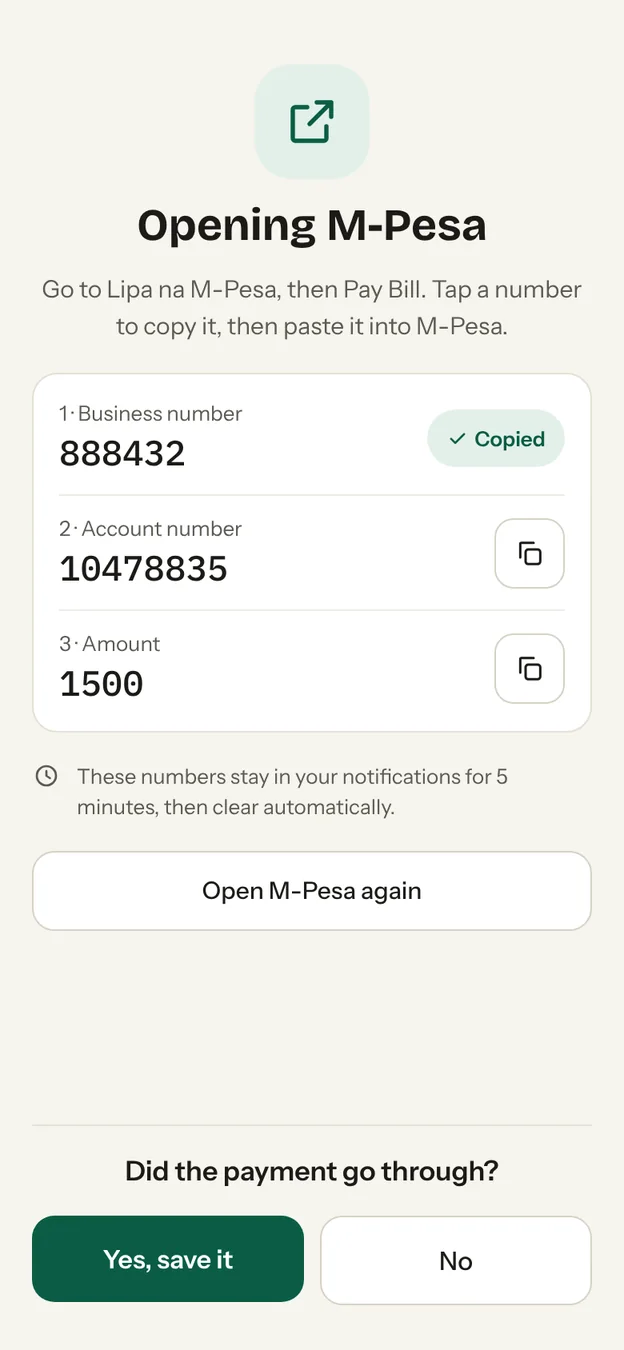
Scaive never asks for your M-Pesa PIN. You type it in M-Pesa only.
Hello, I sent KSh 2,000 to your number by mistake. Please send it back to 0799 000 118. Thank you.
Most payments take a few seconds. The slow part, typing and re-checking digits, is the part Scaive does for you.
Point at a receipt, a shop sign, a QR sticker or a handwritten number. Reading happens on your phone, so it works without internet and no photo is uploaded.
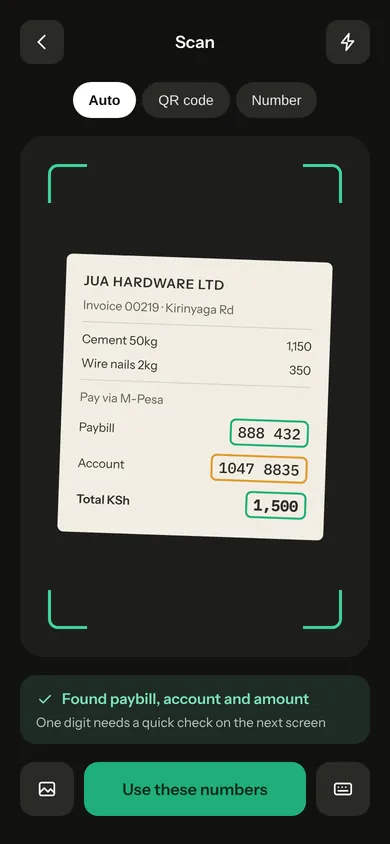
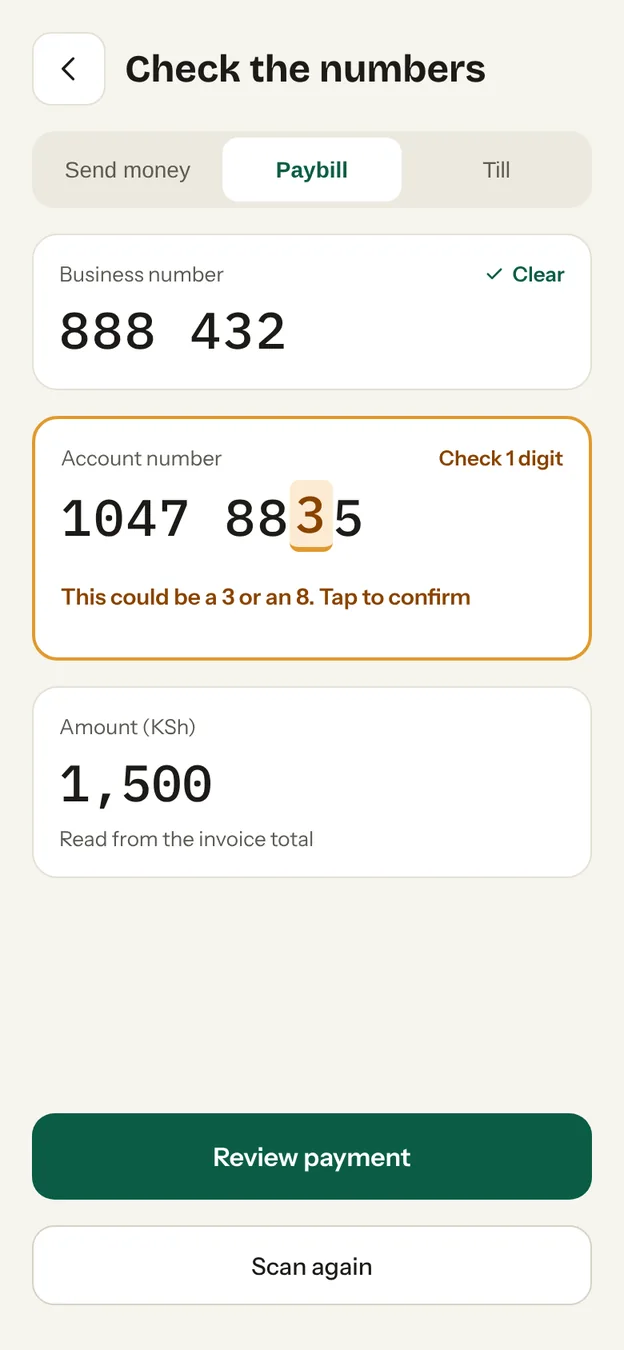
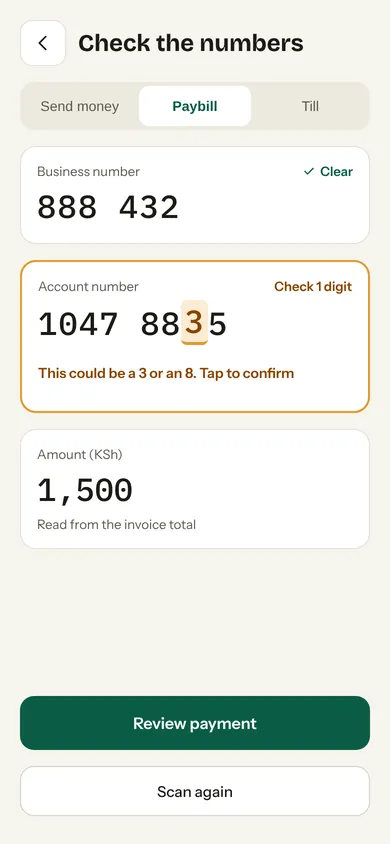
Scaive shows what it read in large digits. If a digit is unclear, it asks you instead of guessing. You can't continue until every digit is sure.
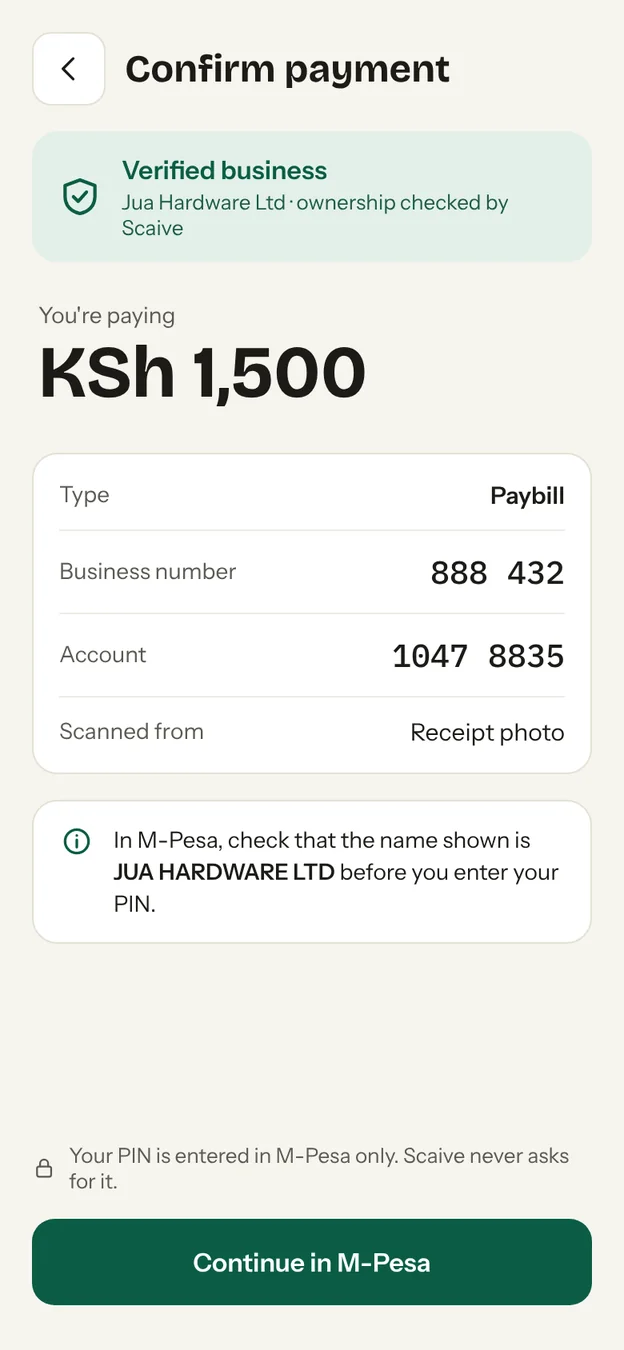
The number is checked against scam reports and verified shops. You get a clear answer before any money moves.
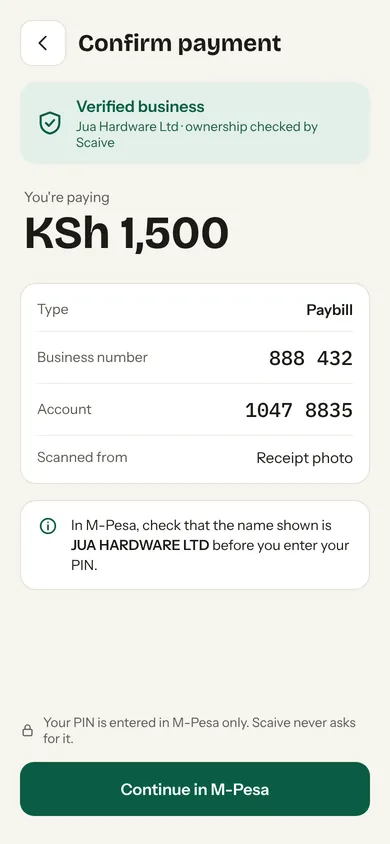
Scaive opens M-Pesa and keeps each number one tap away to paste. You enter your PIN in M-Pesa, never in Scaive.
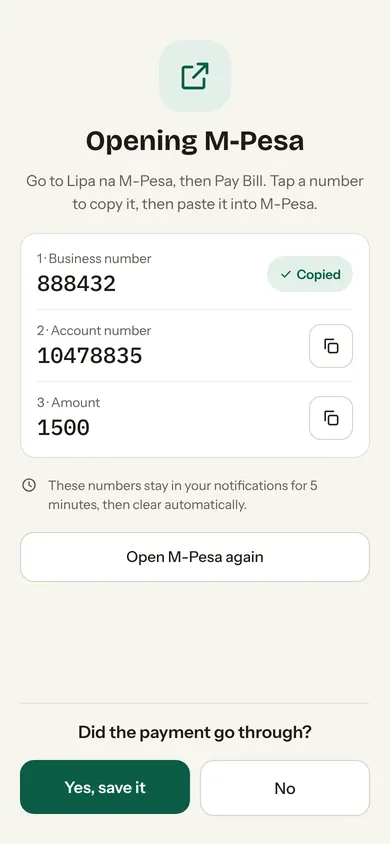
You always type your PIN inside M-Pesa. Anyone asking for it in our name is a scammer.
Numbers are read on your device. Only the number is checked, never the picture.
Numbers reported by other people get a clear warning before you pay.
A caller or SMS says money reached you by mistake and asks you to send it back. If other people have reported that number, Scaive shows a red warning and makes Cancel the easy button.
A scammer pastes their own QR code over a shop's code. Verified Scaive stickers are digitally signed, so a fake fails the check and you see which till it really pays.
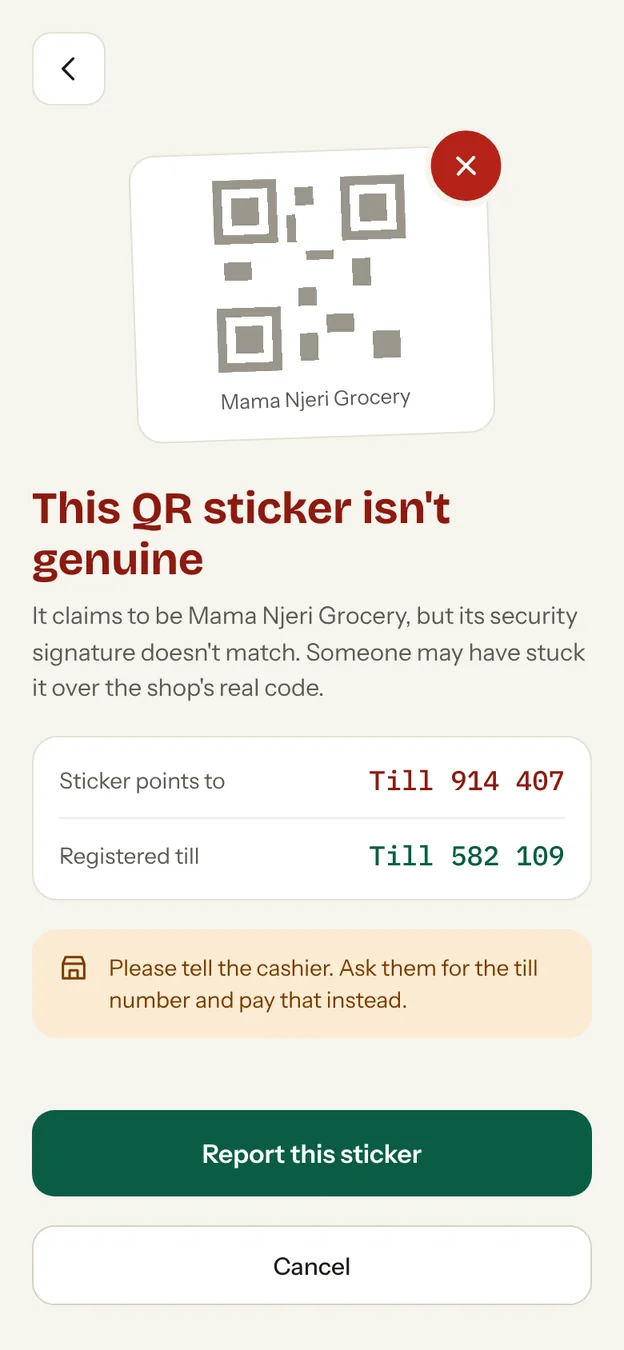
Seven screens, one job: the right money to the right person.
Android first. An iPhone version comes later.
Claim your till in the app, prove it's yours, and print a signed QR sticker. If someone covers it with their own code, your customers get warned.
See how it works for shops
No. Scaive is an independent app. It helps you get the number right, then you pay in M-Pesa as usual.
No. Scaive never moves or holds money. Every payment happens inside M-Pesa.
Never. There is nowhere in the app to type it. If someone asks for your PIN in our name, it is a scam.
Reading numbers works offline. Checking a number against scam reports needs a connection. Without one, Scaive tells you it couldn't check, and it never shows a number as verified.
Nothing leaves your phone. The camera image is read on your device and is never uploaded or saved.
Scaive compares several camera frames. If any digit is doubtful, it highlights the digit and asks you to confirm it. Always check the name M-Pesa shows before you enter your PIN.
Android first. An iPhone version comes later.
Android first. An iPhone version comes later.